
Feature · Website designs
Four designs for your chapter's website
Pick the look that fits your group: Classic, Professional, Community or Directory. Every design shows the same words, photos, members and meetings, so you can switch any time and nothing needs re-entering.
The four designs
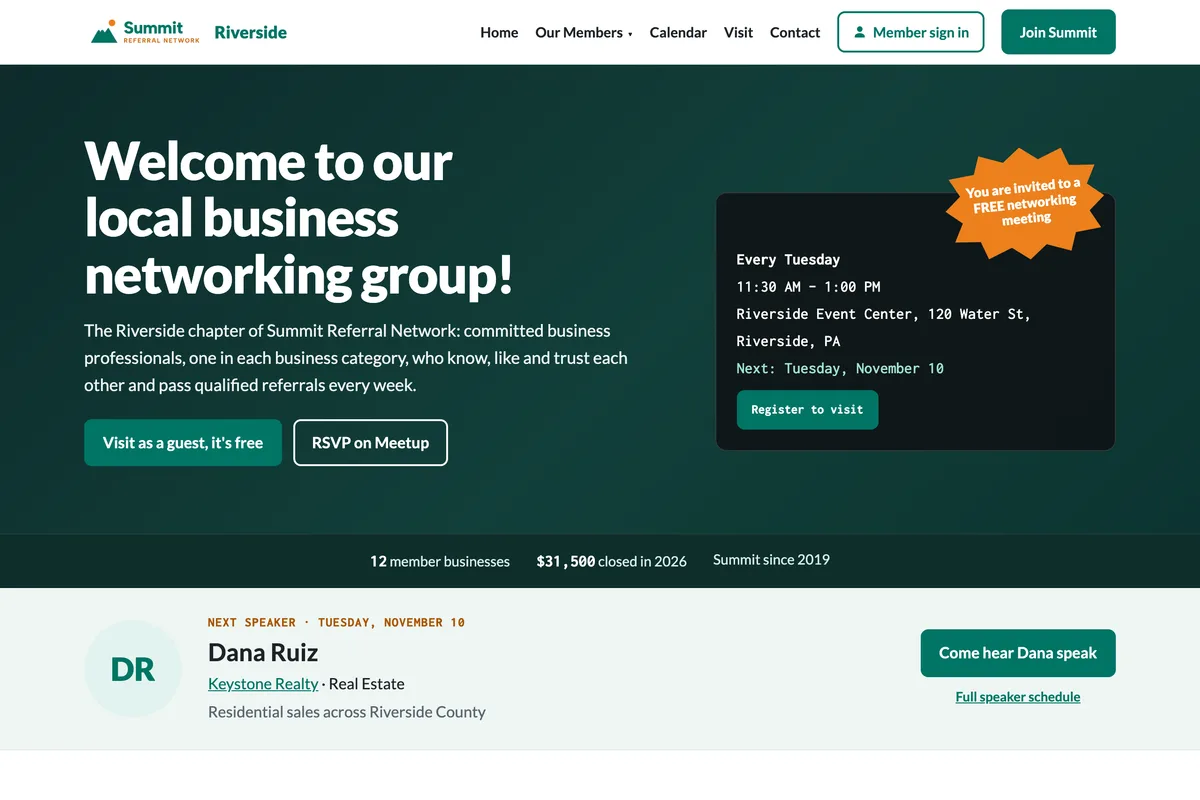
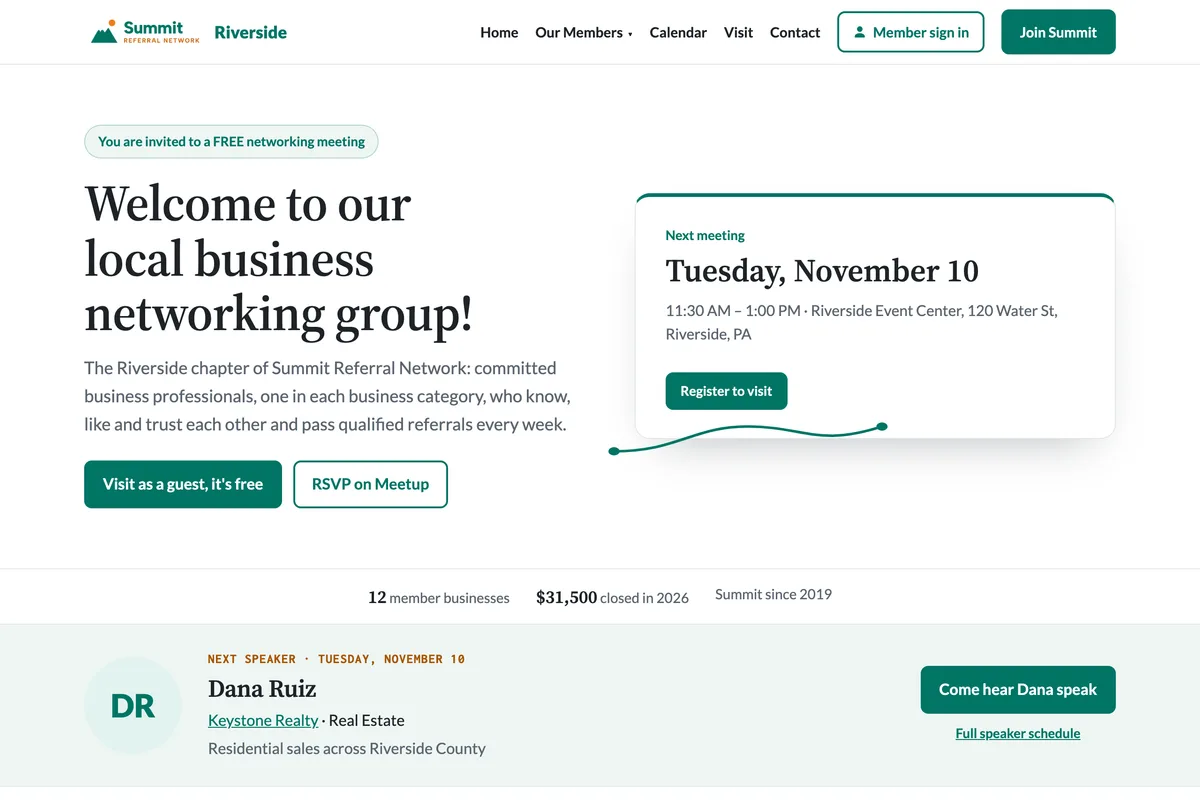
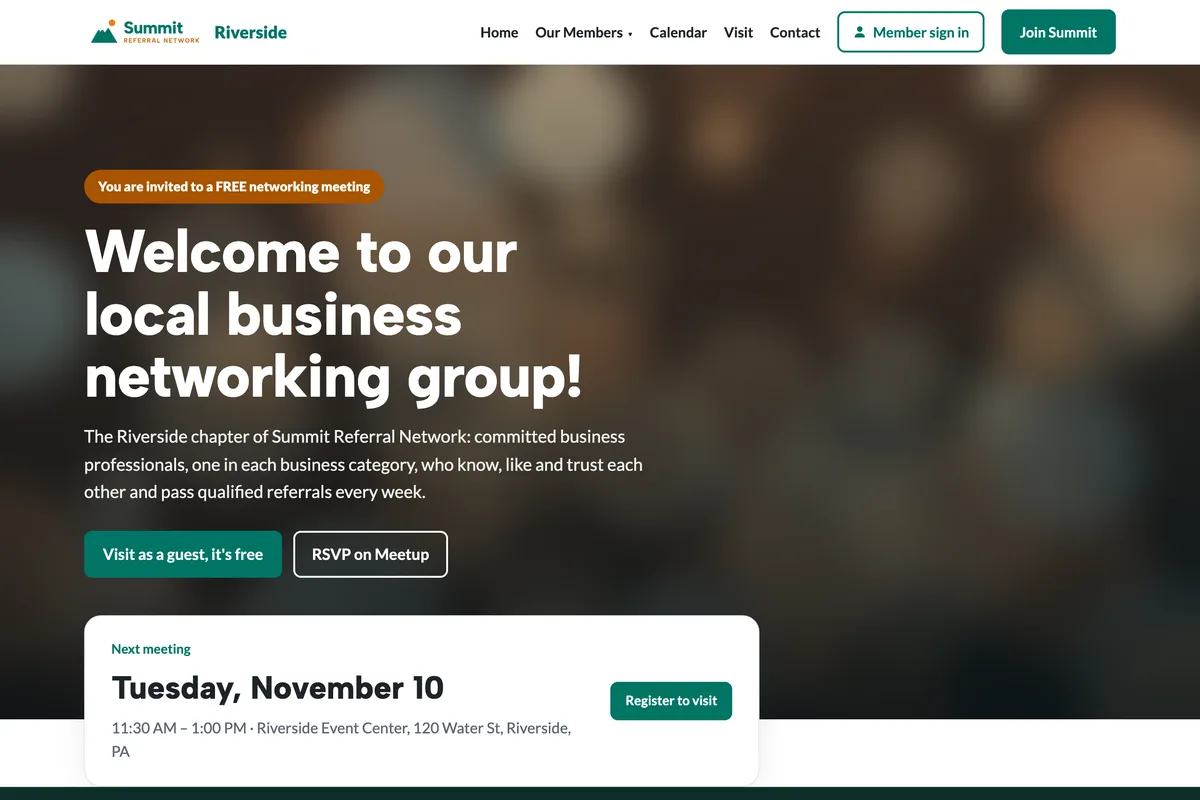
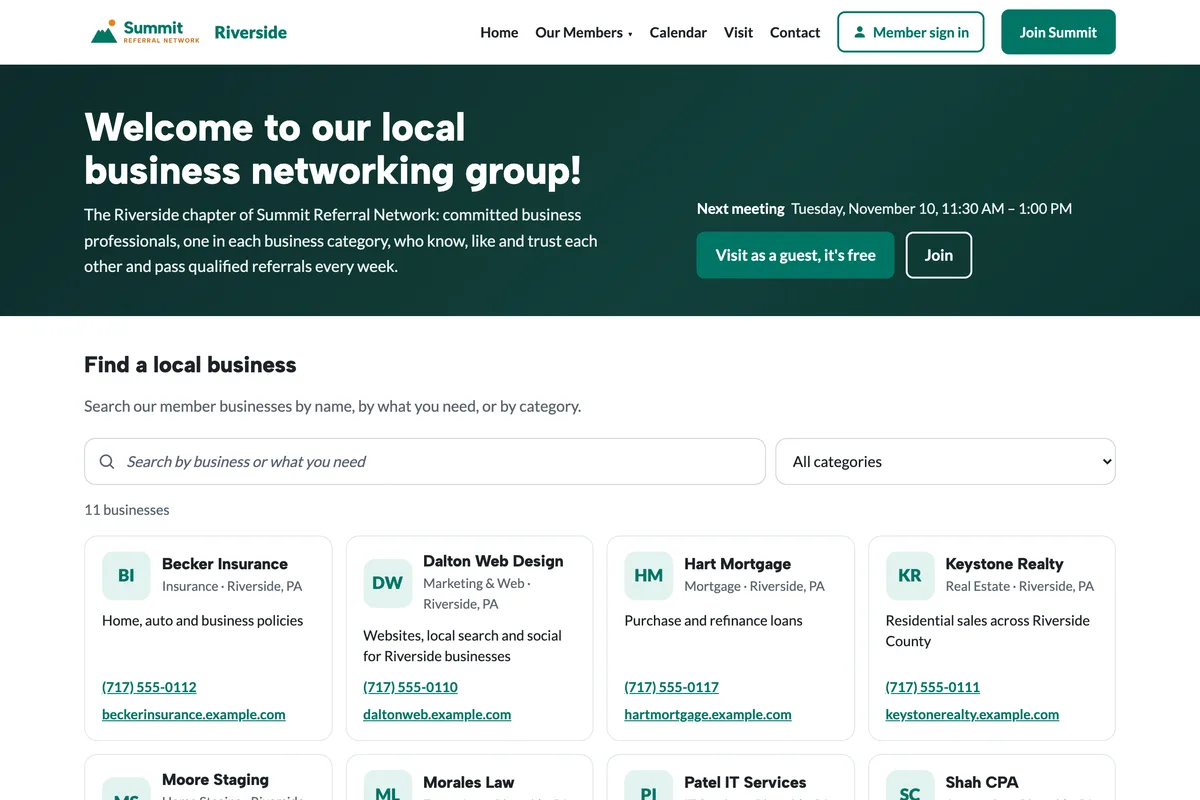
Classic
Best for: Weekly referral groups that want a bold, recognizable look.
- The meeting box and “you're invited” badge right in the banner
- Member logos in a grid
- Bold colors from your brand
Same words, photos, members and meetings in every design. Switch any time in Website → Design.
Same website, four looks
Your chapter's website is built from the portal: meeting times, a visit form, every member business with its own page, open seats, speakers and thank-yous. The design only changes how that's presented.
- Classic: a bold colored banner with the invite badge and the meeting box.
- Professional: light and calm, for chambers and groups of professional firms.
- Community: your meeting photo across the banner, for breakfast and lunch groups.
- Directory: search first, for buy-local groups and associations with many members.
For organizations with several chapters
Choose the design new chapter websites start with, or have every chapter use the same one so the whole organization looks alike. Your logo and colors carry through every design.
Fast, and found in search
Every design keeps the same page addresses, meeting listings and search details, so changing the design never costs a chapter its place in Google. Pages load quickly on phones, and gentle motion switches off for visitors who prefer less.
Questions
Can we change designs later?
Yes. A chapter leader picks the design in Website → Design and can switch any time. Nothing needs to be re-entered.
Do the designs use our logo and colors?
Yes. Every design uses your organization's logo, colors and name; only the layout and typography change.
Which design suits a chamber of commerce?
Most chambers choose Professional: it's light, calm and lists members by business category. Groups with many member businesses often prefer Directory.
Our group has more than 100 member businesses. Which design?
Directory puts a search for local businesses at the top, with category and town filters, and shows results 24 at a time.
Does changing the design affect our Google listing?
No. The pages, addresses and search details stay the same in every design.