
Feature · Meeting check-in
QR code check-in for networking meetings
A code on the screen, a tap on each member's phone, and attendance is done. Guests sign in with a short form and land on the leader's list for follow-up.
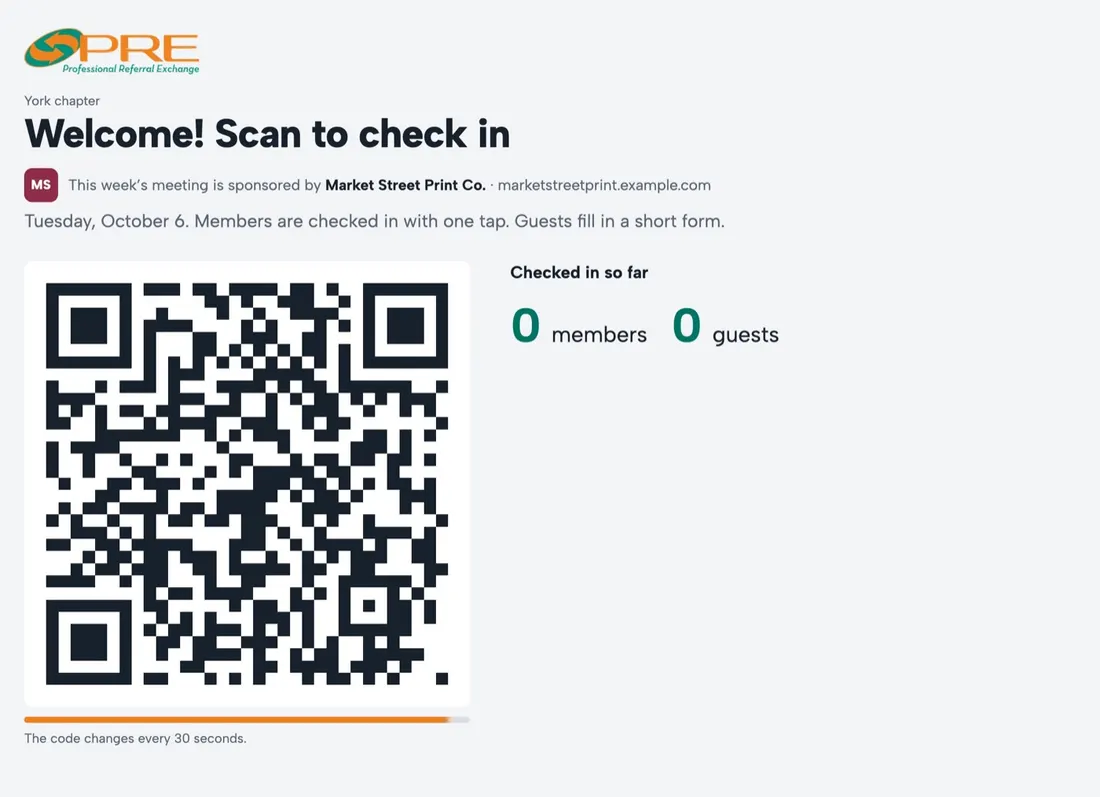
How it works
The check-in screen runs on any laptop or TV at the meeting. It shows a QR code that changes every few seconds and only works during the meeting, so a photo of it can't be used from home.
- Members scan with their phone camera. The first time they confirm with an email code; after that it's one tap
- Guests scan the same code and fill in a short form
- Names appear on the screen as people arrive
No screen? Print the chapter sheet
A one-page sheet with three codes to set on the table: member check-in, guests, and joining the chapter. The leader can also check anyone in by hand.
Attendance that leaders can use
Attendance for each member over recent meetings, counted from the day they joined, with anyone who has missed several meetings highlighted so the leader can check in with them.
Guests, speakers and meeting mode
Members invite guests with the meeting details and an RSVP link. Leaders book speakers weeks ahead with a talk title, mark holiday weeks as "no meeting", and run the meeting from meeting mode with the speaker's listing and the chapter's numbers on screen.
Questions
What if a member forgets their phone?
The leader can check them in by hand from the Meetings page.
Do guests need an account?
No. Guests fill in a short form; their details go to the chapter leader, not onto a shared sign-in sheet.