
Leads Group Software: How to Run a Leads Group Without the Spreadsheet
What leads group software does, what to look for, what it costs, and how to move a chamber or independent leads group off paper and spreadsheets.
Published November 22, 2026
Leads group software is a tool that handles the weekly work of a leads group in one place: members pass leads to each other on their phones, attendance is recorded at the door, guests are followed up, and the group can see how much business it has produced. Most small leads groups start on paper slips and a spreadsheet, and switch once one volunteer is spending an hour a week retyping.
What a leads group is (and why the software is different)
A leads group, also called a referral group or leads club, is a small group of business owners who meet on a regular schedule to pass business to each other. Most hold one seat per business category, so the group has one realtor, one accountant and one roofer, and every member is looking out for the others' customers.
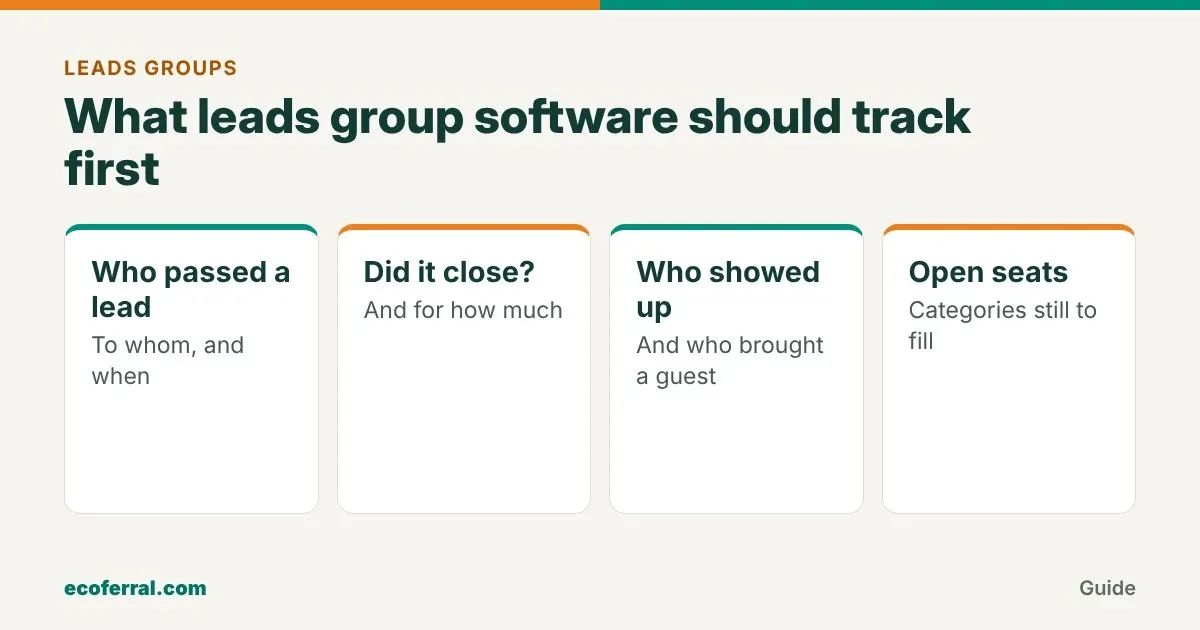
That's different from a chamber, an association or a social club, and it's why general membership software often feels like a poor fit. Membership software is built around dues, events and newsletters. A leads group's week is built around something else:
- Who passed a lead to whom
- Whether that lead turned into business, and how much
- Who showed up, and who brought a guest
- Which categories are still open
Leads group software is built around those four things first.
What it should do
Pass a lead in seconds. A member should be able to pick the person they're referring, add the contact's name and number, and send it before the meeting moves on. If it takes longer than filling out a paper slip, members won't use it.
Track the lead to a result. The person receiving the lead updates it as they go: contacted, meeting set, closed or not. When it closes, they enter the amount. That's how a group knows its real closed business instead of guessing at year end.
Record attendance without a clipboard. QR check-in at the door is faster than a sign-in sheet and doesn't need a volunteer to type it up afterward.
Follow up with guests. Visitors are the future of the group. The software should capture them at the door and remind someone to follow up.
Show open seats. A simple list of categories the group wants to fill, ideally on the group's public page, so members know who to invite.
Keep contact details private. The person who was referred trusted one member with their phone number. Only the giver, the receiver and the group leader should see it.
Report without effort. A monthly summary for each member and for the group: leads passed, closed business, attendance and guests.
Chamber leads groups
Many chambers of commerce run one or more leads groups for members who want more than mixers. The chamber usually already has membership software for dues and events, and that should stay. The leads group needs its own tool alongside it, because chamber software rarely tracks member-to-member referrals or weekly attendance.
A good setup: the chamber keeps its membership system, and each leads group runs its week in a referral tool, with its own page that links back to the chamber. See how a chamber can run member referral groups.
What leads group software costs
Most tools charge per group or per organization, not per member, and land between free and about $80 a month for one group. Watch for:
- Per-member pricing, which grows as the group does
- Setup fees or annual contracts
- Free plans with low member caps, which are fine for a test but may not fit a full group
Ecoferral costs $39 a month for a group, or $30 a group a month on network plans with a $99 minimum, and members never pay. For other tools' prices, see the best referral tracking software for networking groups.
Moving a leads group off paper
The switch is easier than most leaders expect, if you keep it simple.
- Pick a start date a week or two out, and announce it at a meeting.
- Import the member list from your spreadsheet. Most tools take a CSV.
- Bring your history. If you've tracked leads and closed business in a sheet or form, import it so members keep their totals.
- Start with leads and check-in only. Add guests, reports and the website once those are habit.
- Pass leads on phones during the meeting for the first two weeks, so members learn together.
- Stop using the old sheet. Two places to log a lead means half end up in neither.
Keep a few paper slips on the table for anyone who forgets their phone. Someone always does.
How to choose
Run any tool through one ordinary month of meetings before you decide. Then ask three members, not the most technical ones, how it went. If giving a lead felt quick, check-in was painless and the month's totals matched what people remembered, you've found your tool.
If you're comparing options, our referral networking software checklist lists the questions to ask any vendor.
Questions
What is leads group software?
Software that runs the weekly work of a leads group: passing leads between members, tracking them to closed business, recording attendance, following up with guests and reporting results.
Is a leads group the same as a referral group?
Yes. Leads group, referral group, leads club and referral networking group all describe a small group of businesses, usually one per category, that meet regularly to pass business to each other.
Can a chamber of commerce use leads group software?
Yes. Chambers usually keep their membership software for dues and events and add a referral tool for their leads groups, since chamber software rarely tracks member-to-member referrals.
How much does leads group software cost?
Most tools range from free plans with member limits to about $80 a month per group. Ecoferral is $39 a month for a group, and members never pay.
Do members need to download an app?
Not always. Some tools run in the phone's browser and can be added to the home screen; others have native apps.