
Update a referral you received
Keep the member who referred you posted, and record the business when you close it.
Referrals sent to you show on Home under Referrals for you and on Referrals.
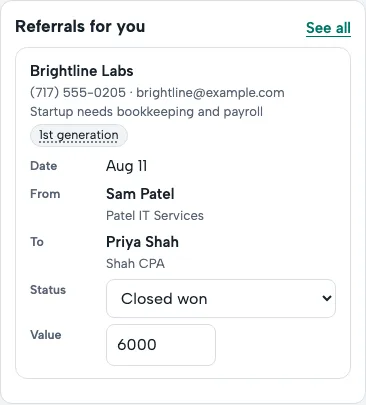
- Call your contact soon: that's what makes it a qualified referral.
- Change the status as it moves along: Contacted, Meeting set, then Closed won or Closed lost. The member who gave it sees each step.
- Closed won? Add the amount of business, then Save and tell them. It counts toward your chapter's closed business, and you can add a thank-you.
- Tick Share it as a testimonial if you'd like your thank-you on the chapter website; your leader approves it first.
You can change the amount later if the job grows.
← All guides · Members: open Help in the portal