
Give a qualified referral
Pass a referral to a fellow member in under a minute, from any screen.
Tap Give a referral (the green button, at the top or bottom right of any screen).
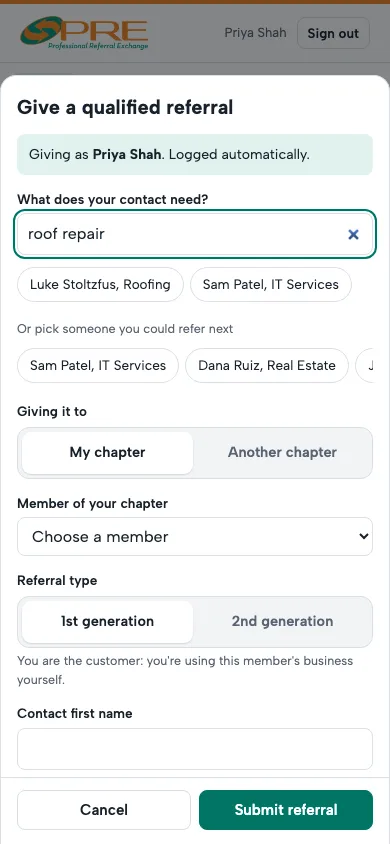
- What does your contact need? Type it, like "roof repair" or "accountant", and the right member comes up. Or choose the member yourself.
- Referral type: 1st generation if you're the customer yourself, 2nd generation if someone you know is.
- Add your contact's name, phone and email, and a line on what they need. Let your contact know a member will be in touch.
- Several at once, like three neighbors who all need a roof? Tick This covers more than one referral and say how many.
- Tap Submit referral. The member gets the details by email, and you earn your points.
Referring someone in another chapter? Choose another chapter under Giving it to.
Questions
Who sees my contact's details?
Only you, the member you referred them to and that chapter's leader. Never reports, the directory or anyone else.
← All guides · Members: open Help in the portal