
Your chapter website
Edit your chapter's public website; members, meeting details and open seats keep themselves up to date.
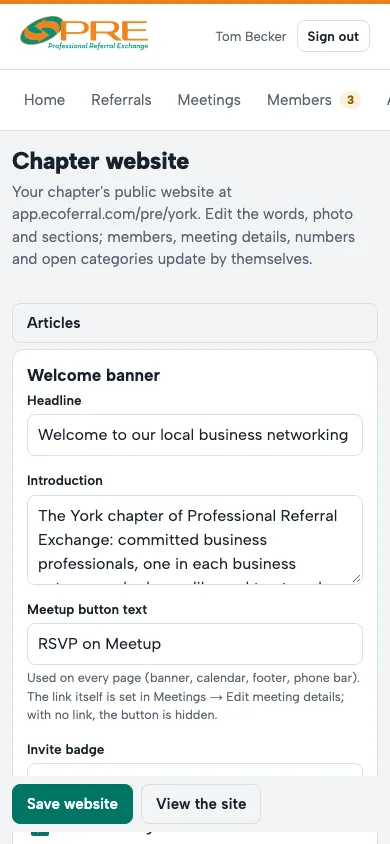
- Open Chapter website. Edit the words, the photo and which sections show, then save.
- Members, meeting details, numbers and open categories update by themselves from the portal.
- Articles are posts on your site, like a visitor-day invitation or a member story.
- Want your own address, like yourchapter.com? Use Use your own domain and follow the steps for your DNS.
Visitors can register for a meeting from your site, and guests who check in become part of your guest list.
← All guides · Members: open Help in the portal