
Your chapter board
Add your board and choose what each person can do, like approving new members.
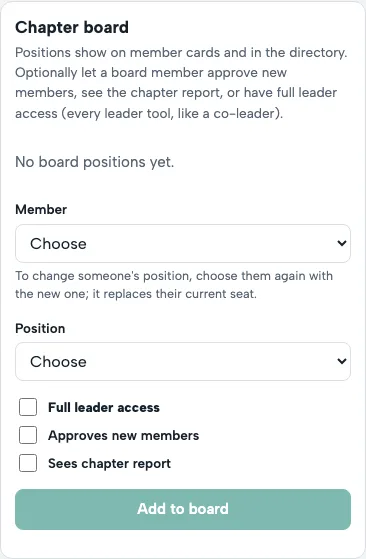
- On Members, find Chapter board and tap Add to board.
- Choose the Member and their Position, such as President or Membership chair. The President is featured on your chapter website.
- Choose what they can do.
- Approves new members: sees join requests and can approve them.
- Sees chapter report: can run the chapter's monthly report.
- Full leader access: everything a leader can do.
To change a position, choose the member again. Board titles show in the member directory.
← All guides · Members: open Help in the portal