
Approve new members, or invite them to visit first
When someone asks to join, invite them to a meeting, then approve them after the visit and your chapter's vote.
When someone fills in your chapter's join form, you get an email and their request shows on Home and Members under Waiting for approval, with their email and phone.
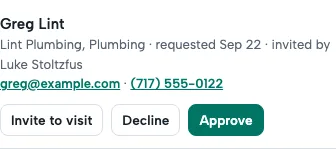
- Invite to visit. Choose one of the next meetings and add a note if you like. They get the meeting details and your chapter's Meetup link, and replies come to you.
- Follow the request. It shows Visiting with the date, then Visited ✓ once they check in with the guest QR code. If they don't come, it shows Didn't make it and Invite again.
- Approve after the visit and your chapter's vote. They get a welcome email and can sign in right away, and the member who invited them earns their points.
- Decline if it isn't a fit. The request is removed; their visit stays in your guest list.
If your chapter seats one member per category and their category is already held, you'll be asked to confirm before approving.
Questions
Who can approve new members?
The chapter leader, and any board member given "Approves new members" in the Chapter board on the Members page.
Can I email them before deciding?
Yes. Tap their email on the request, or reply to the "New join request" email: it goes straight to them.
← All guides · Members: open Help in the portal