
Add or import members
Add one member at a time, paste your whole roster, or send a join link to someone ready to apply.
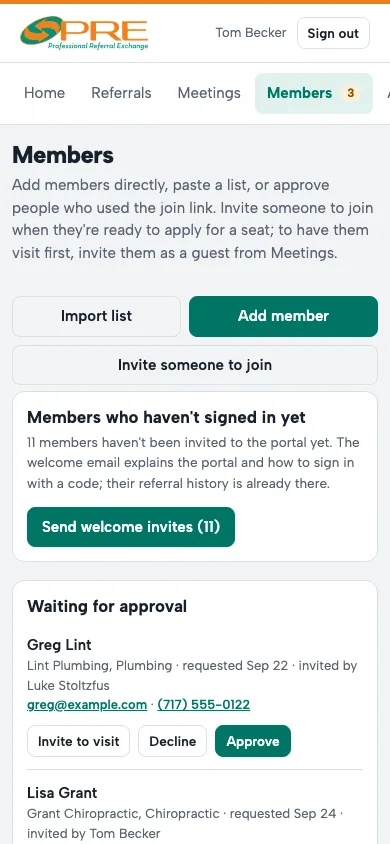
- Add member adds one person straight to your chapter. They get a welcome email explaining how to sign in with a code.
- Import list moves a current roster over: paste one member per line as name, business, category, email. Categories that don't match the list are set to Other, so check them afterward.
- Invite someone to join emails a business owner your join link for an open seat. They apply, and you approve them like any request.
Members who haven't signed in yet are counted at the top of Members, with a button to send (or resend) their welcome email.
To change someone's details, tap Edit on their card. Deactivate removes them from the chapter without deleting their referral history.
Questions
Does a member need a password?
No. They sign in with their email and a 6-digit code, or a passkey on their phone.
← All guides · Members: open Help in the portal